dP
Savings Insights
Amazon Business
Generative AI & machine learning UX $100K+ savings in minutes

AI Savings
Insights

Pioneered the ‘AI as a Digital Teammate' interaction model. Automated the tedious process of comparing millions of repeat buys and supplier alternatives with explainable, high-trust AI recommendations.
{{ row.k }}
{{ row.v }}
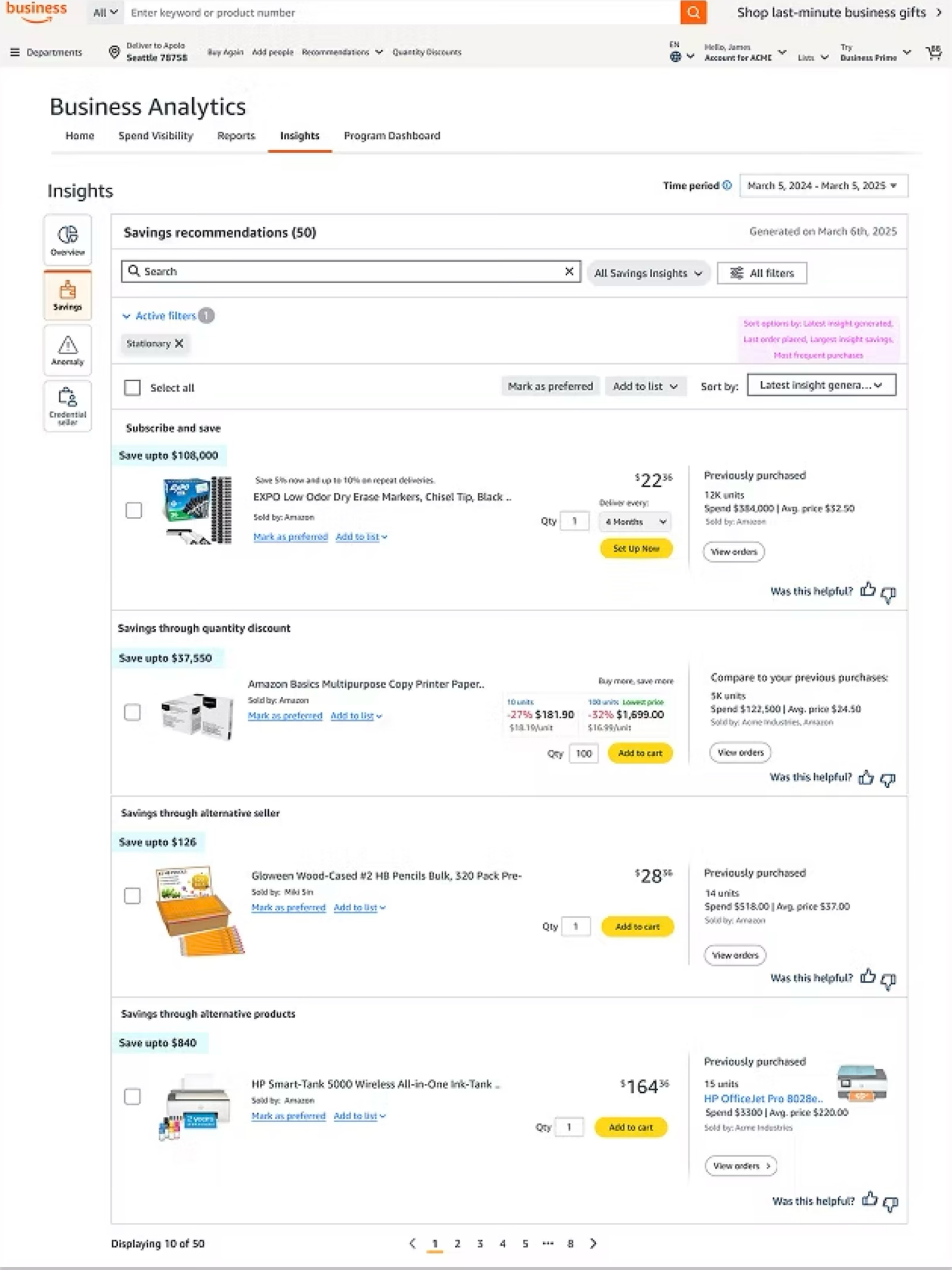
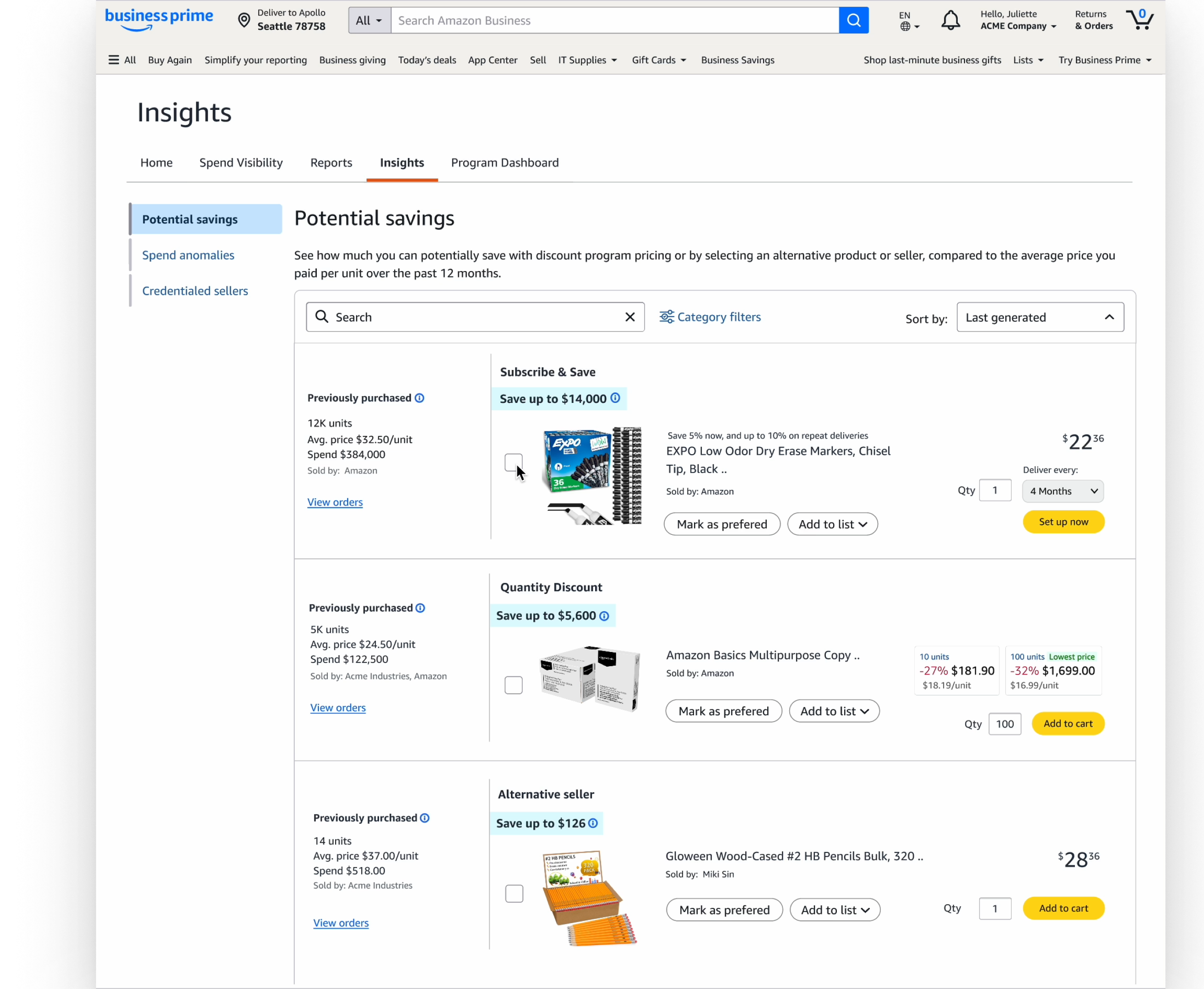
The Potential savings view inside Amazon Business Insights
“At Amazon Business, we don't just listen to our customers, we immerse ourselves in their challenges. Savings Insights is about more than just saving money; it's about giving our customers the confidence to make smarter decisions, faster.”
— Stephanie Lang, Director and GM, Amazon Business
{{ s.n }}
{{ s.t }}
{{ s.s }}
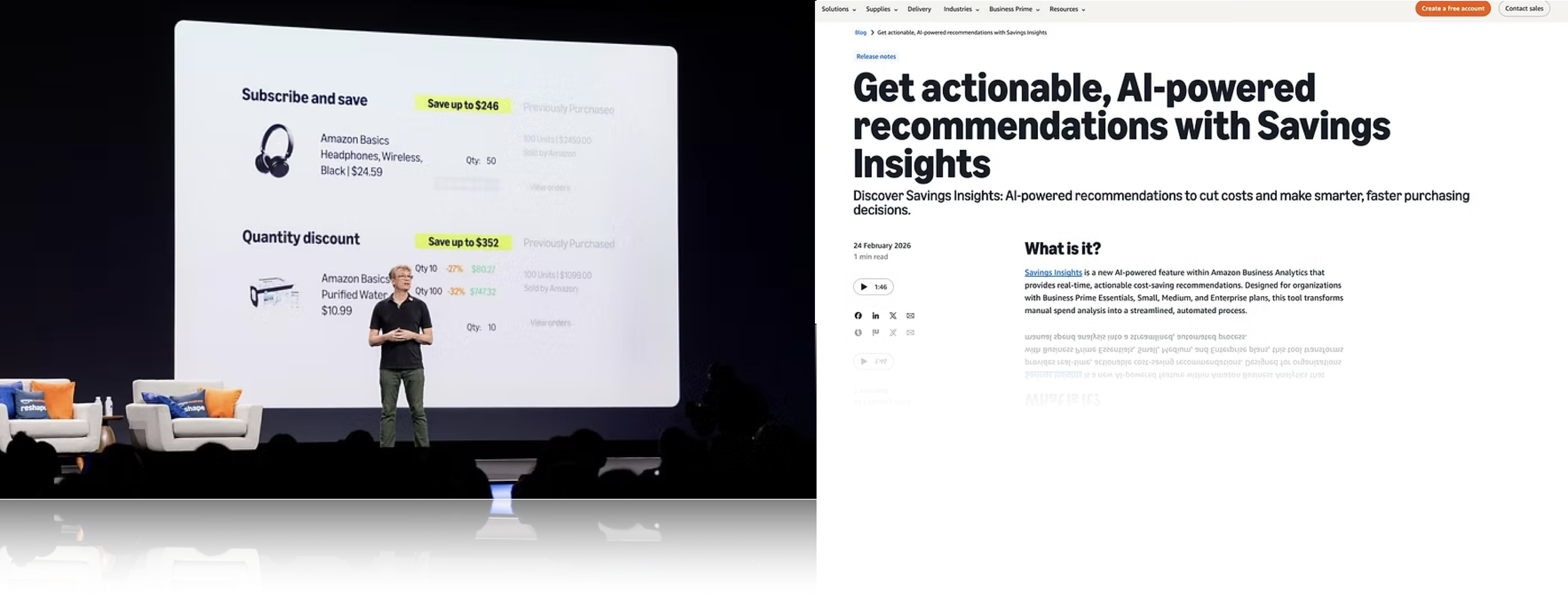
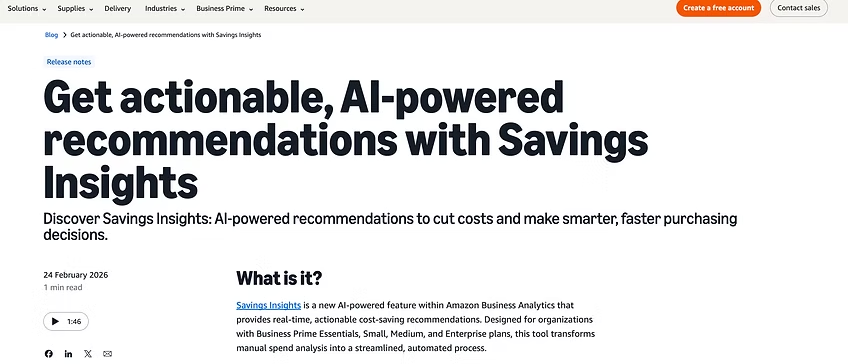
Amazon Business release notes: Get actionable, AI-powered recommendations with Savings Insights
Press release ↗
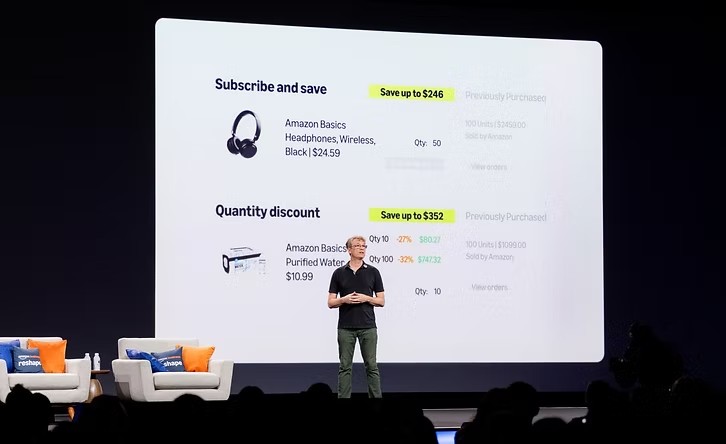
Amazon Business Vice President presenting Savings Insights on stage at the Reshape conference
Amazon Business Vice President presenting ‘Savings Insights' at the Reshape conference
Context

At Amazon Business, enterprise users faced massive data overload. They needed proactive, automated insights to help them save more.

My objective was to design ‘Savings Insights' and establish user trust. An experience that would hold up in an environment of enterprise scale complexity.
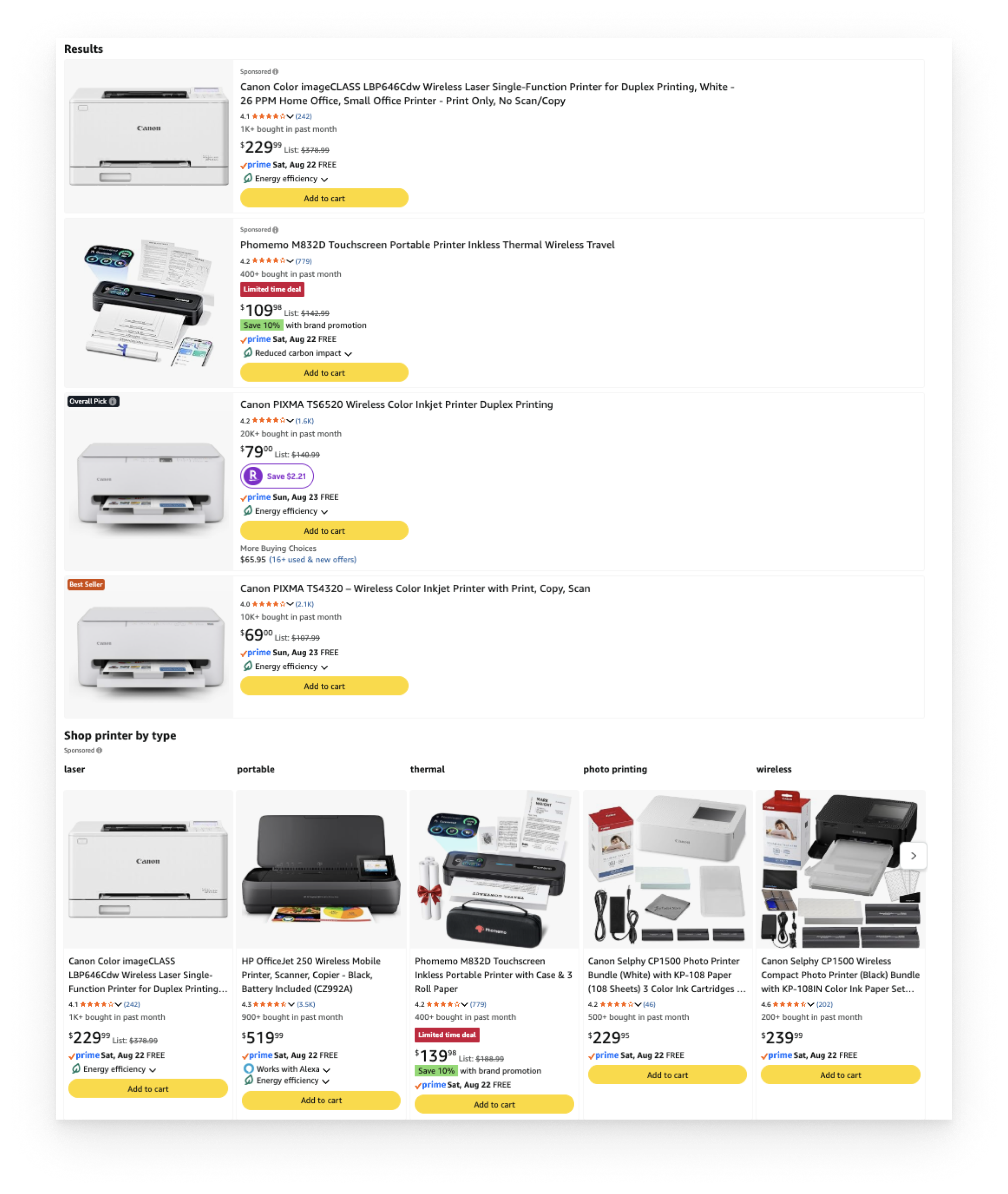
Amazon Business search results page dense with printer listings, prices and promotions
Data overload at the point of purchase
Persona

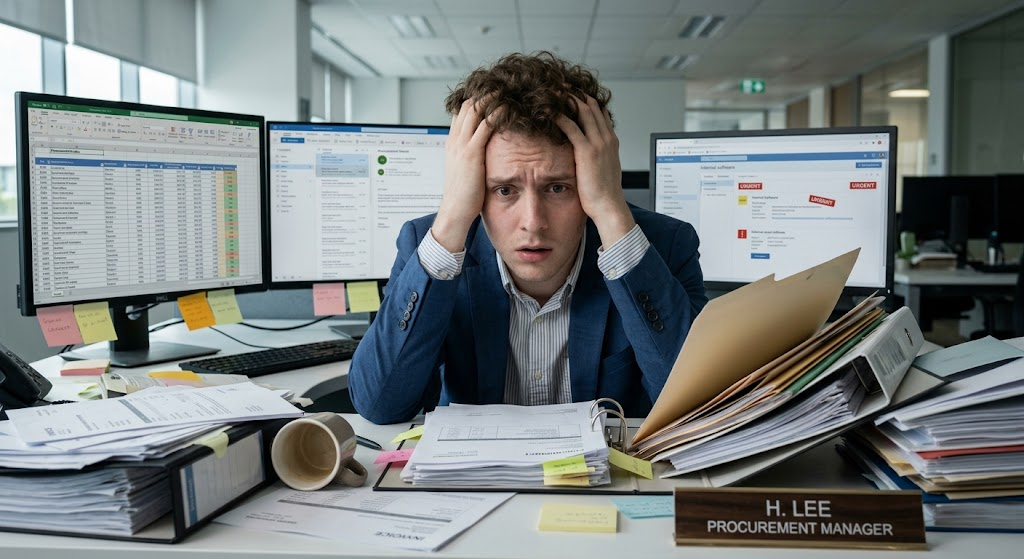
Meet Henry

The overwhelmed procurement manager
Role
Procurement Manager at a mid-sized company
Goal
Keep company spending low and find budget leaks quickly
“”
— Henry L.
Henry, the overwhelmed procurement manager
The pain points
{{ p.title }}

{{ p.body }}

Research finding

4 types of Amazon Business Savings Insights

  1. {{ t.num }}
    {{ t.title }}

    {{ t.body }}

User journey
Henry's savings journey

Mapped the five stages from entry to success, pairing each user action with its touchpoint and the outcome it had to deliver.

{{ j.n }} {{ j.stage }}
User action
{{ j.action }}
Touchpoint
{{ j.touch }}
Experience / outcome
{{ j.outcome }}
Savings Insights design direction

Overall layout

  1. Design decision
    {{ d.decision }}
    Why
    {{ d.why }}
Design explorations
UX to show comparison

Explored various layout options for placing the current purchase next to its cheaper alternative, each weighed on visual benefit against architectural risk.

Alternative product UX explorations
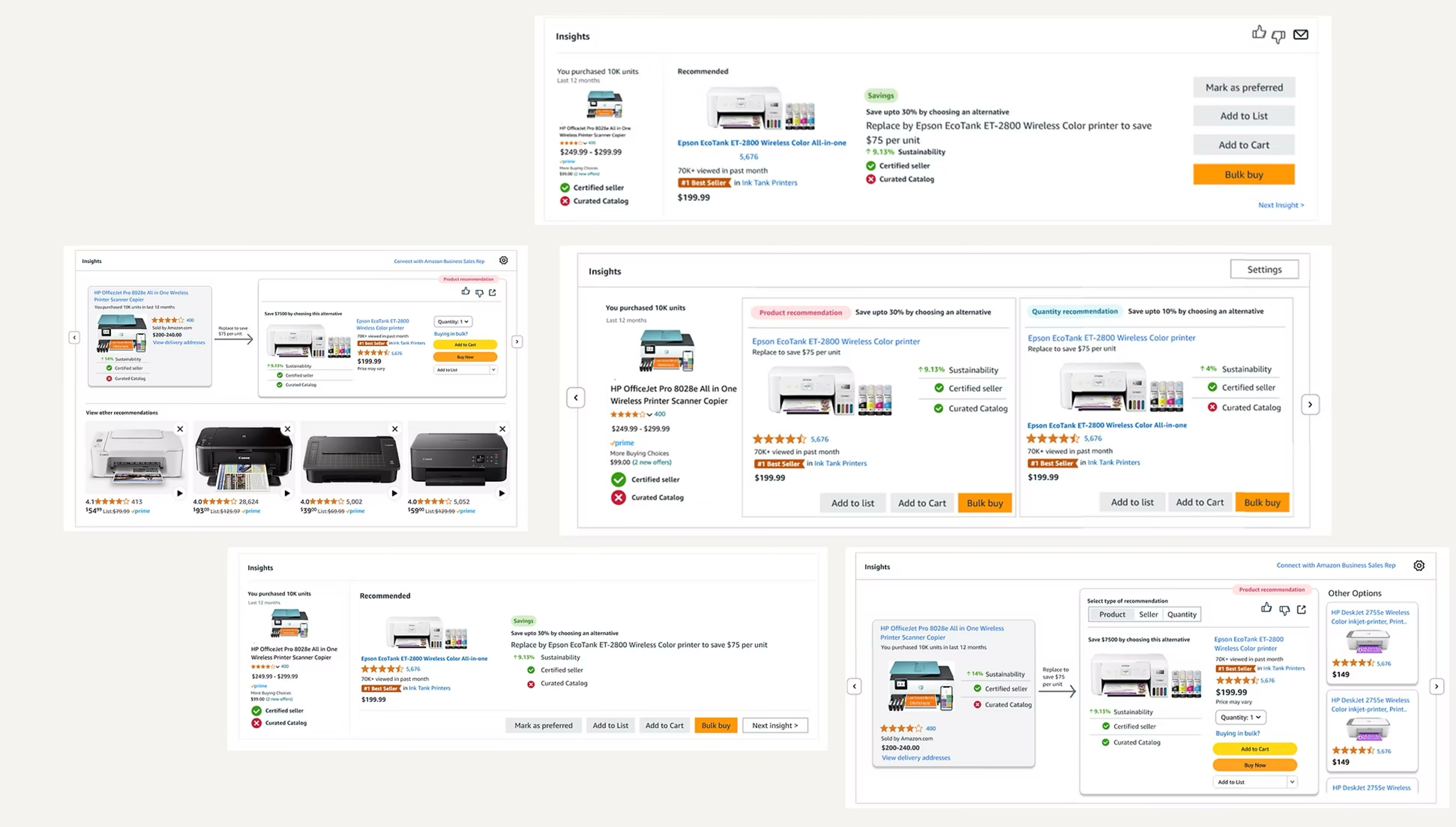
Exploration board for the comparison layouts

Pros and cons of the various UX design explorations

{{ c.num }} {{ c.title }} Selected
Pros & visual benefits
  • {{ p.t }}
Cons & architectural risk
  • {{ n.t }}
Research

Usability study

Performed moderated usability study using usertesting.com.
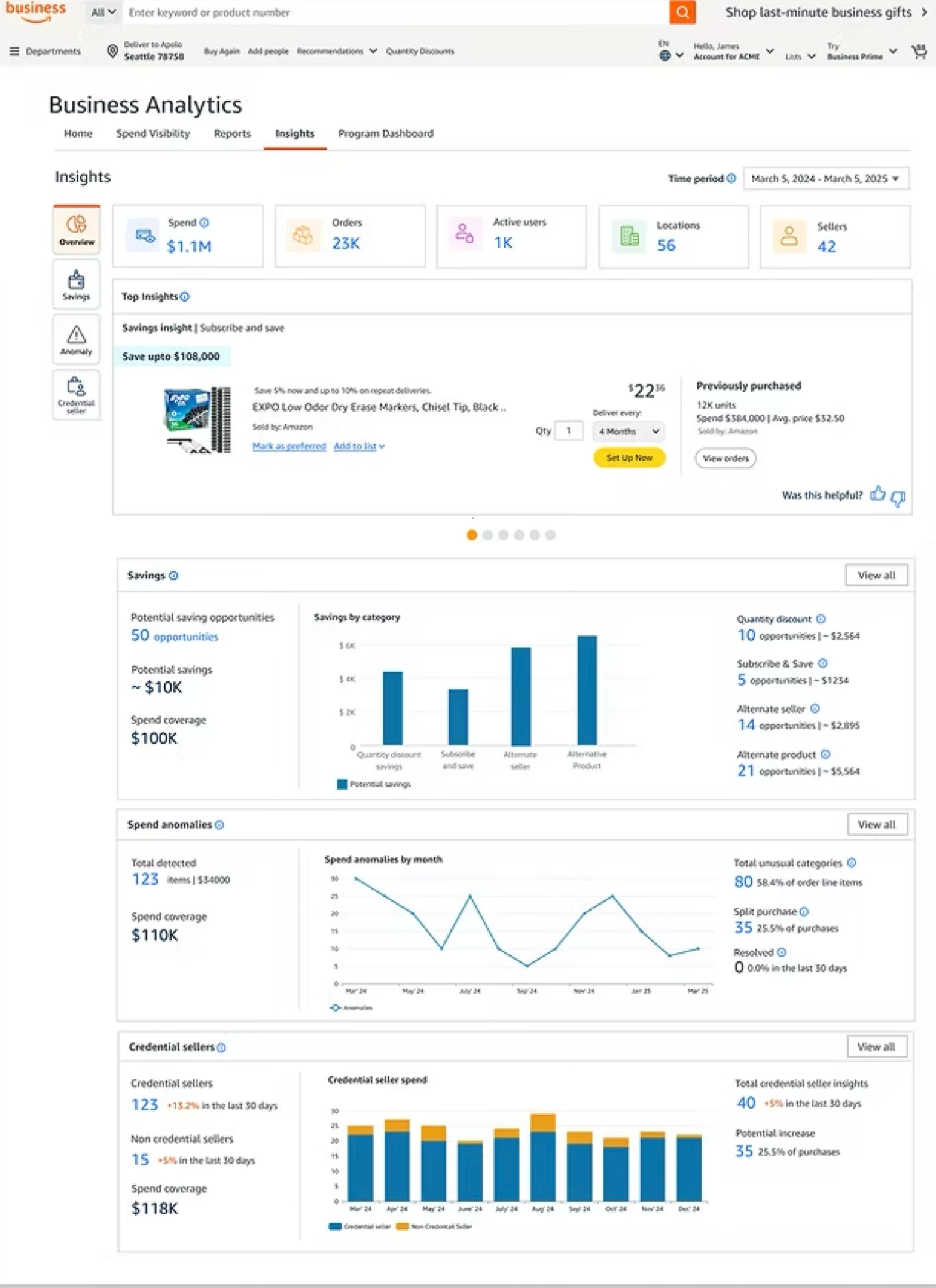
Insights overview screen tested with customers
Savings recommendations list screen tested with customers
Working well
Validated with all 7 participants
4
  • {{ i.t }}
Needs improvement
Fed straight back into the design
2
  • {{ i.t }}
Launched
Design delivered

Made iterations based on stakeholder reviews and shared the working prototype with the dev team.

Stats captured during beta release

Impact driven

Created a UX Success Scorecard to track metrics quarterly, aligning UX design performance directly with the business goals we had identified.

{{ r.n }}
{{ r.t }}

*Measured during Beta release.

Announcement at annual conference
Savings Insights announced at the annual conference