dP
Quick Visuals
Quick visuals of launched design projects

A picture is worth a thousand words

Amazon Business ValueNova

AI Agent for sales leaders

Innovating ways to pitch, surfacing quick customized data and the value we can bring to a customer's procurement area. Prompt to intake, then straight to a savings pitch deck.
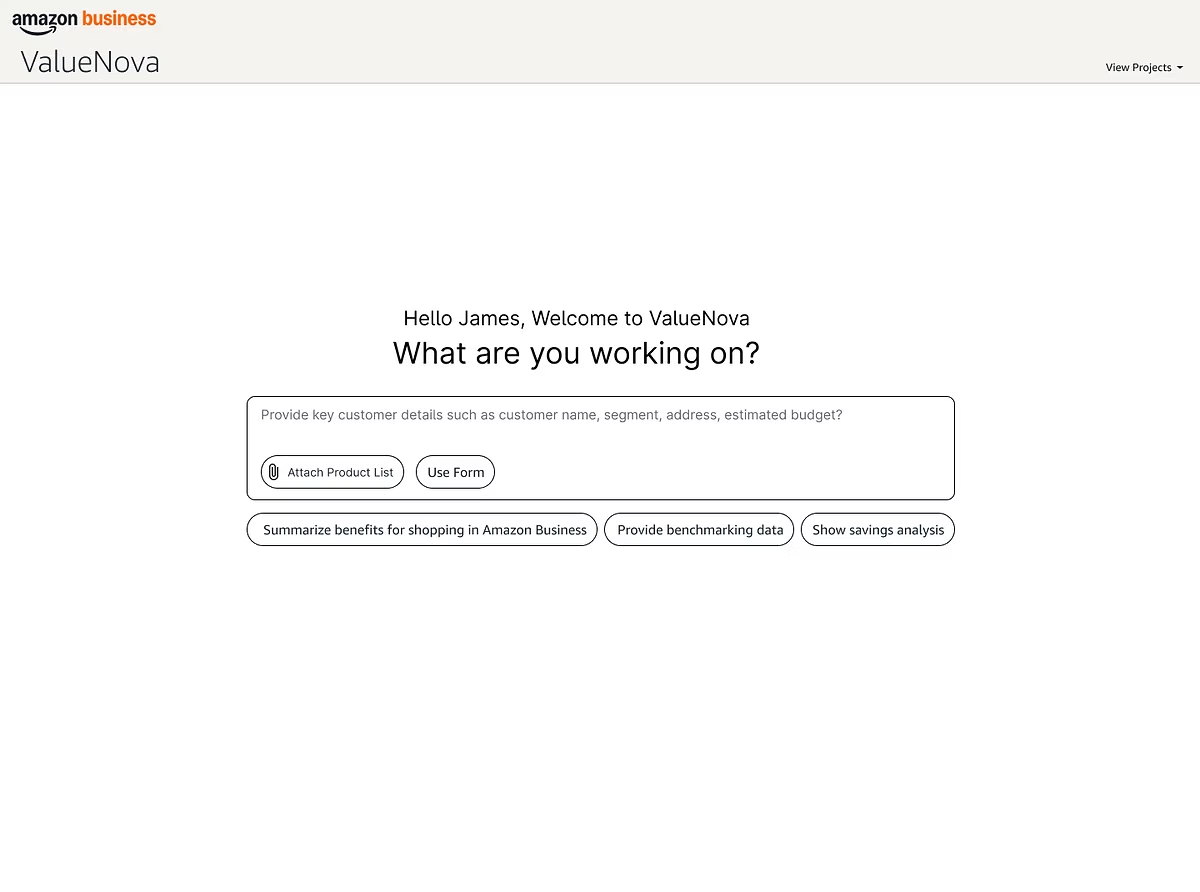
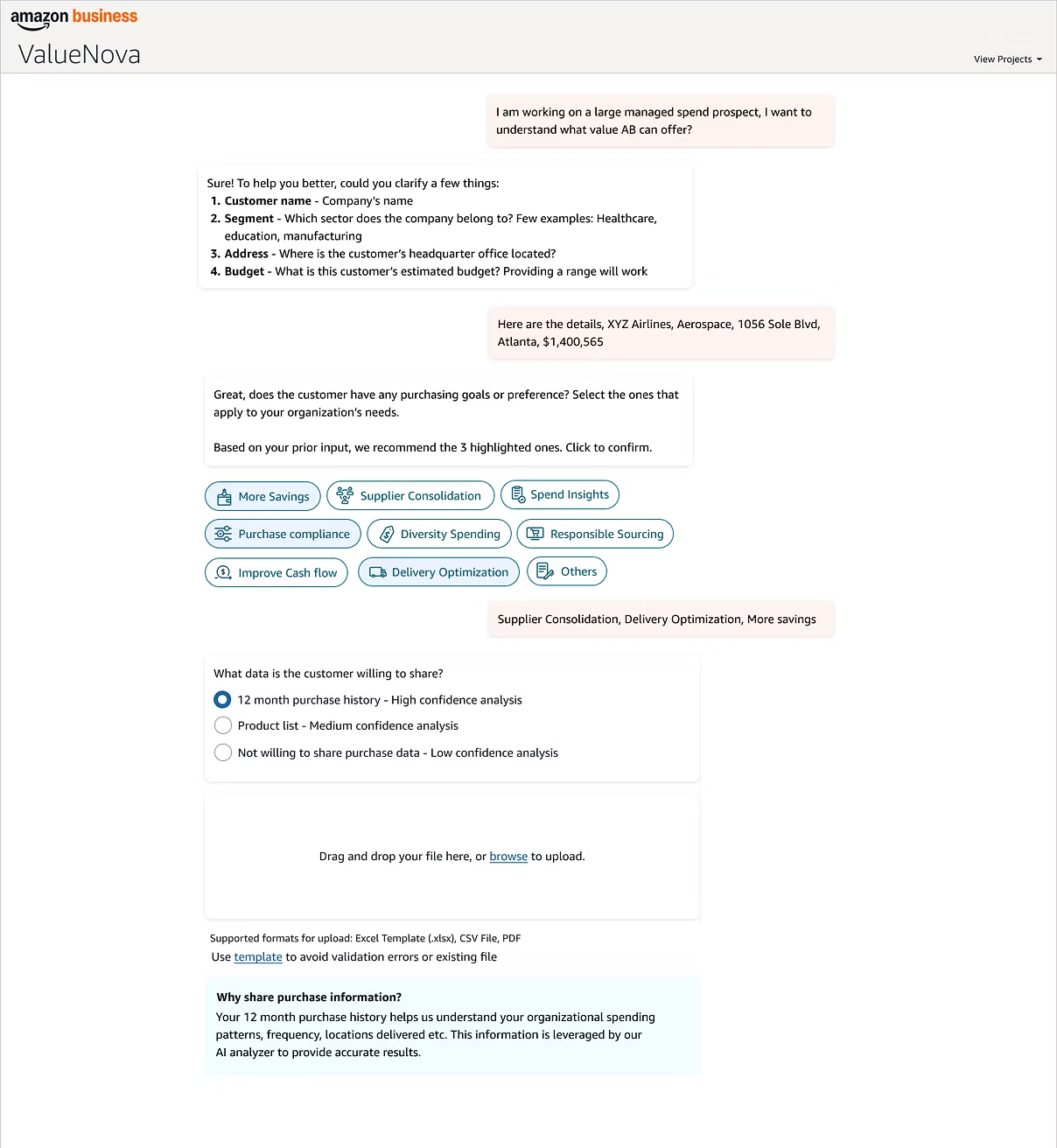
Prompt
ValueNova welcome screen with the prompt entry and suggested actions
Intake
Conversational intake collecting customer name, segment, budget and purchasing goals
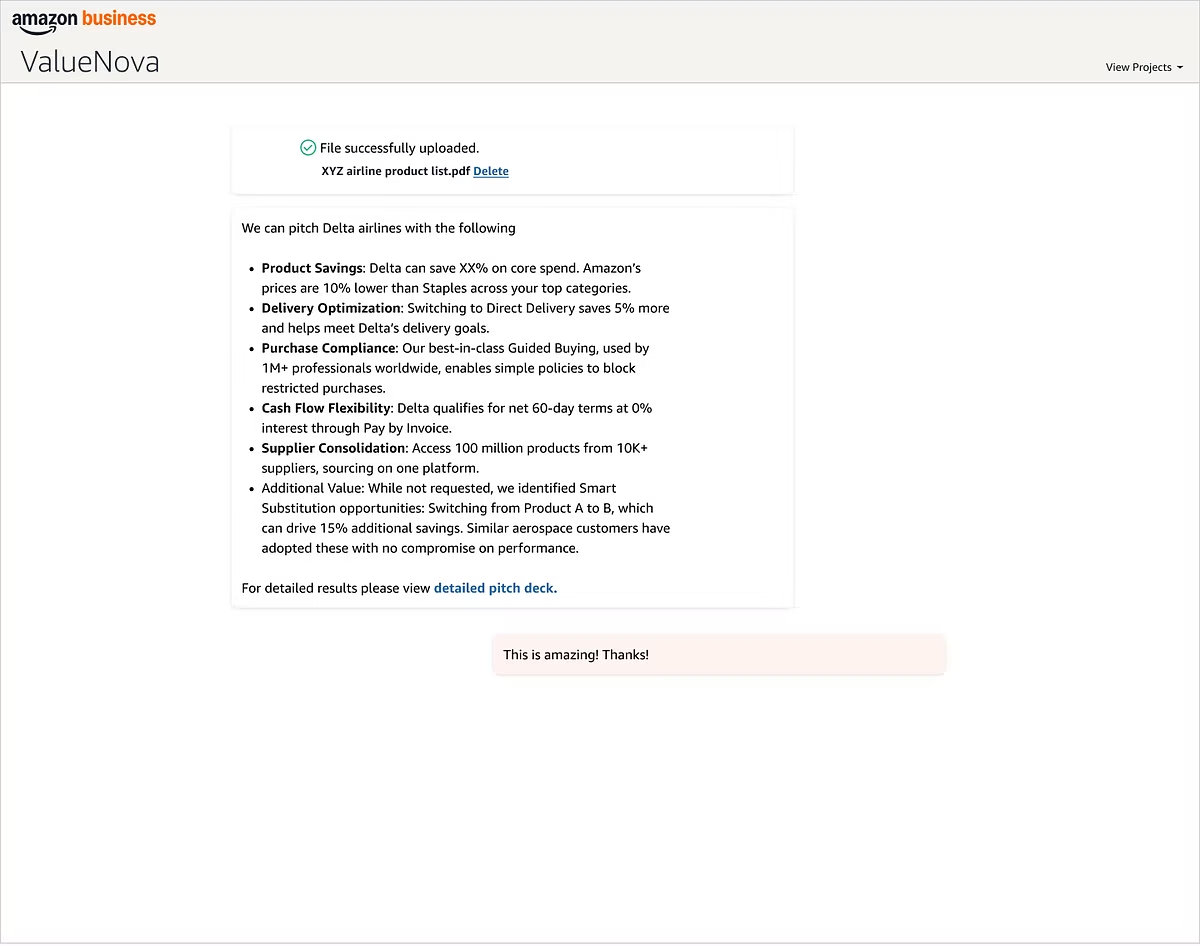
Pitch summary
Generated pitch summary of savings, delivery, compliance and cash flow
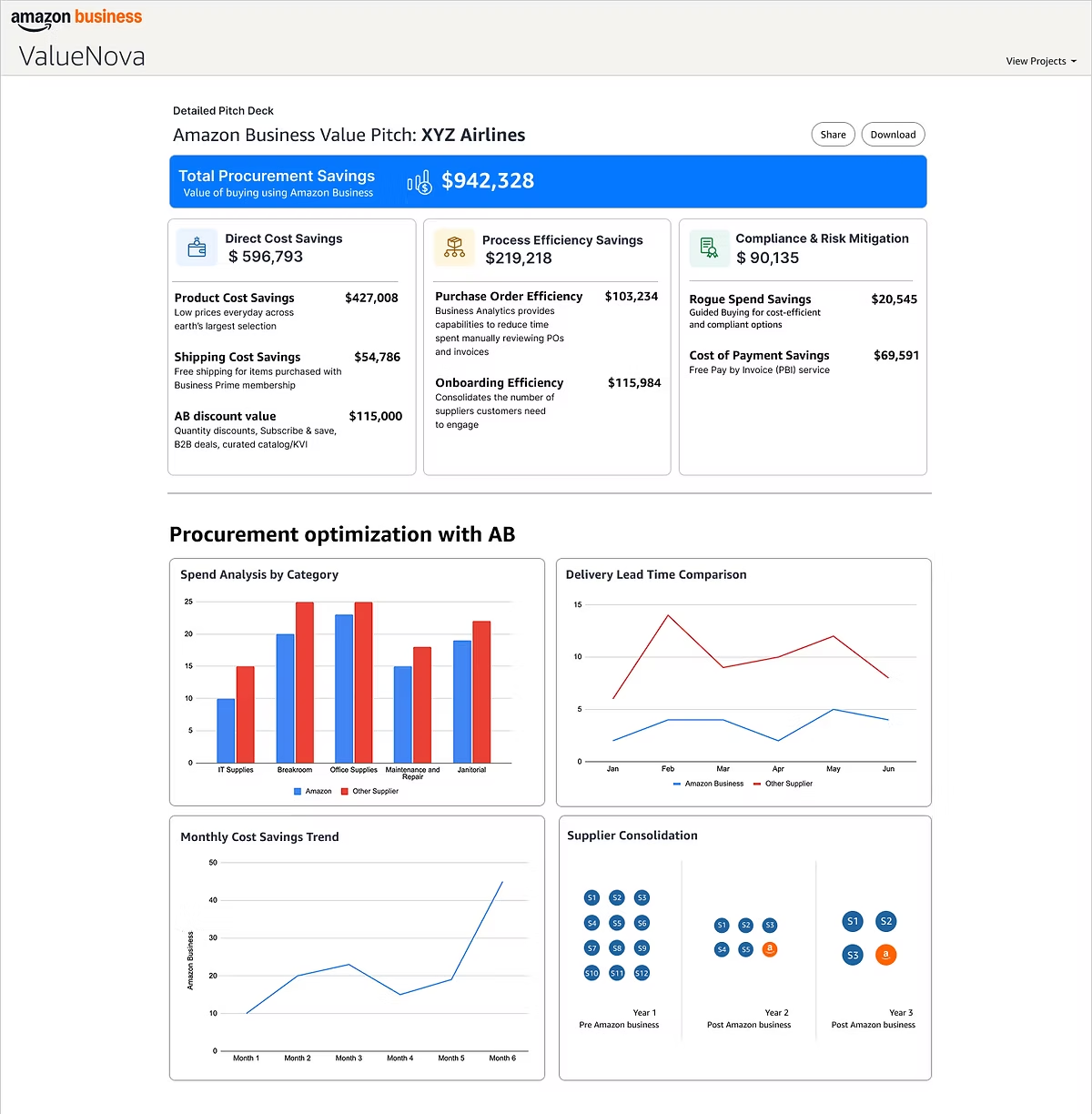
Pitch deck
Detailed pitch deck with total procurement savings and optimization charts
Enlighted, a Siemens company Space

Better space planning through data

Helping planners understand how their spaces are actually utilized.
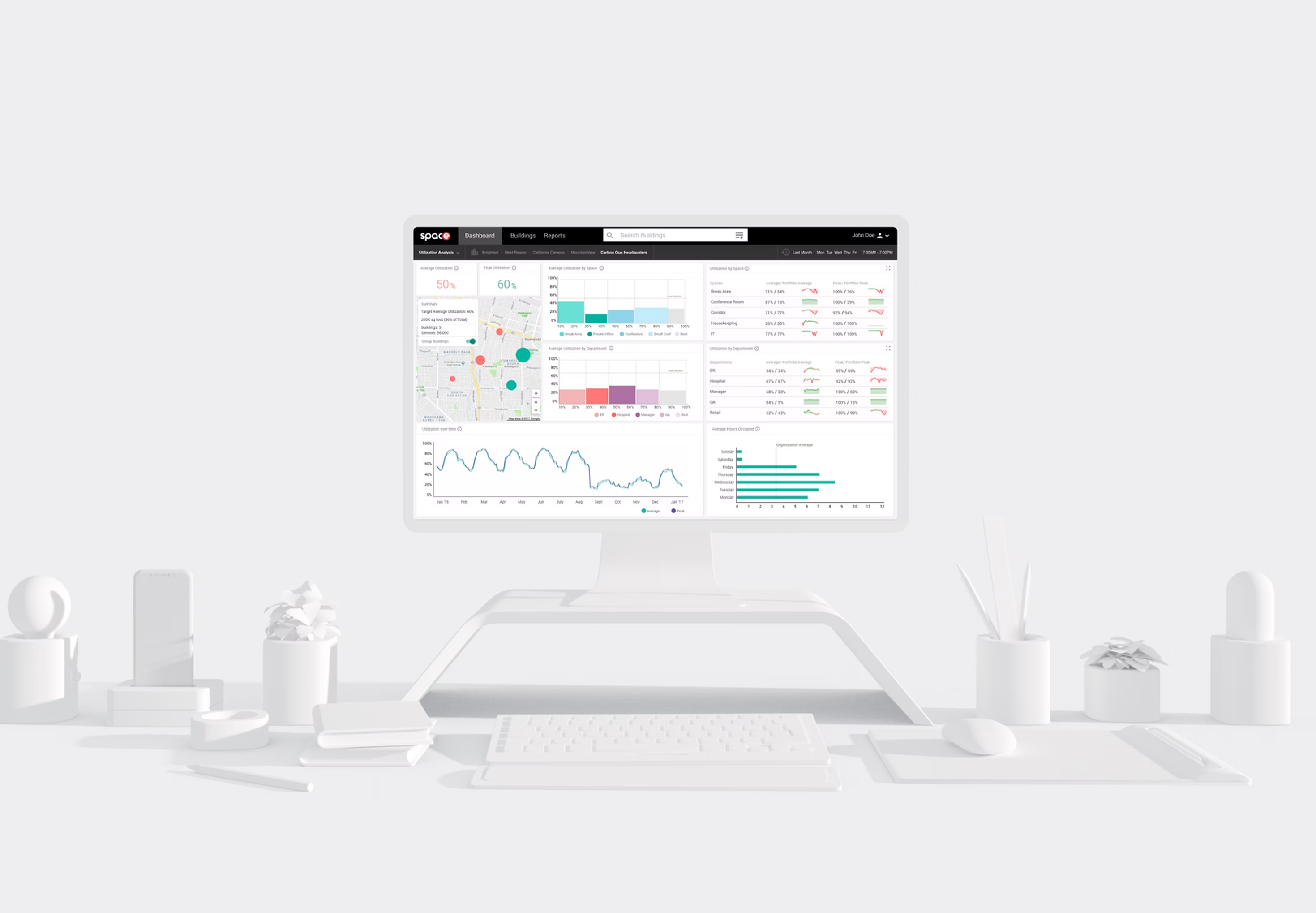
The Enlighted Space utilization dashboard on a monitor in a monochrome desk scene, showing average and peak utilization, a building map and utilization by space and department
Intuit QuickBooks

Learn & Support landing

Simplifying ways to learn the product, carried across web, tablet and mobile.
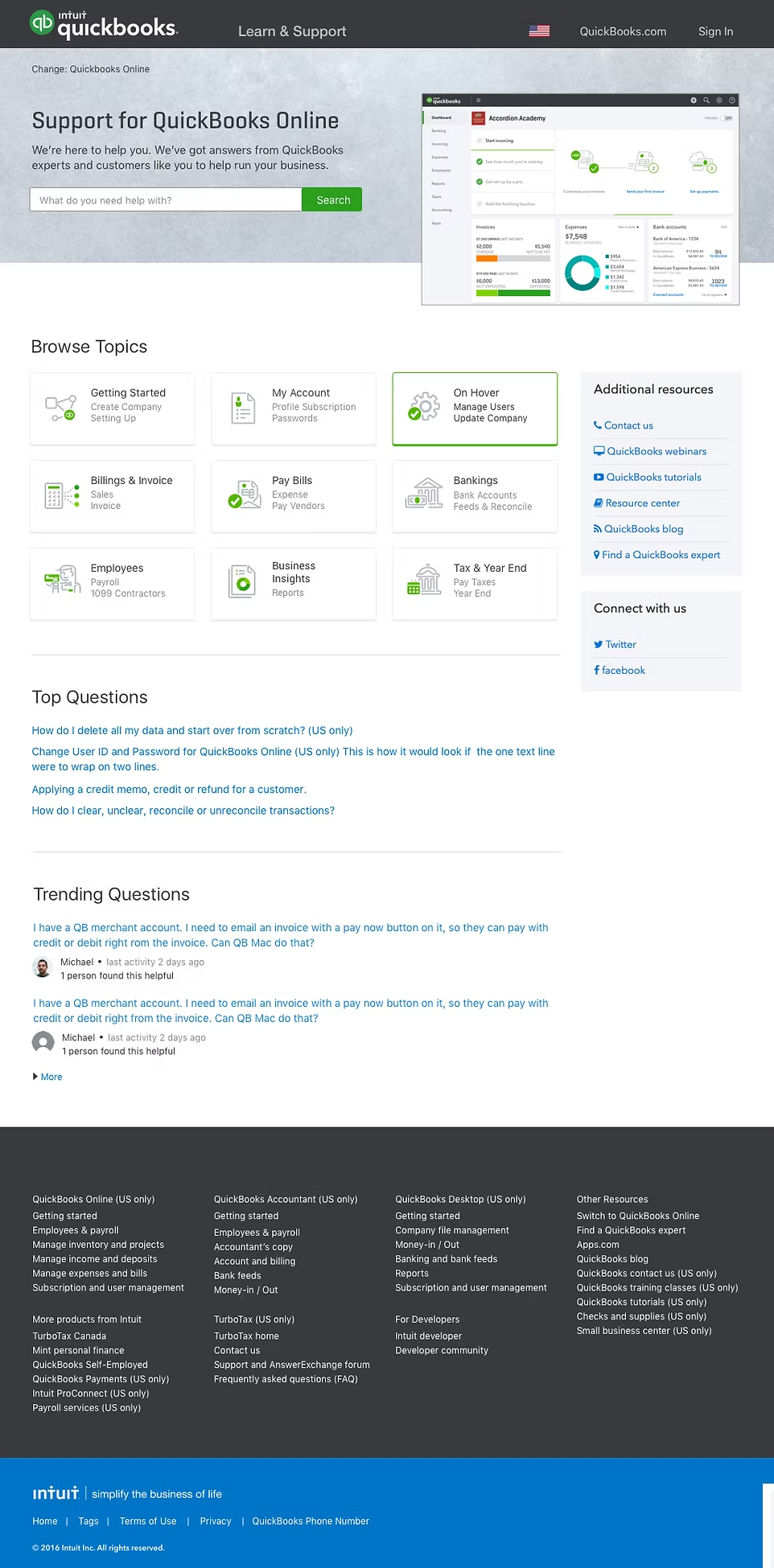
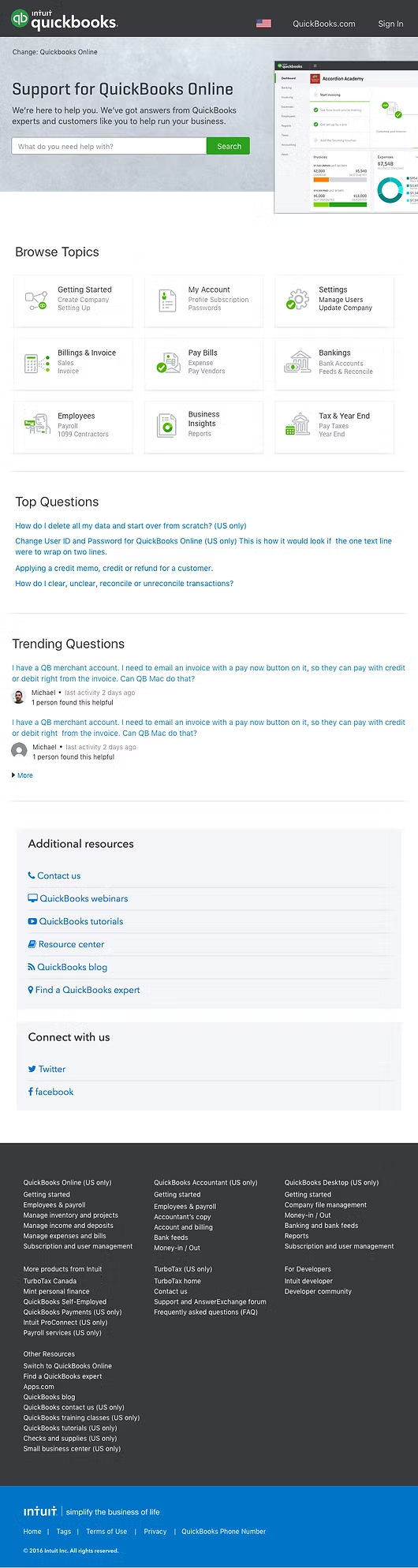
Web
The QuickBooks Learn and Support landing screen on web, full page: hero search, Browse Topics grid, Top Questions, Trending Questions and footer
Tablet
The same landing screen on tablet, full page, with Additional resources and Connect with us moving below the questions
Mobile
The same landing screen on mobile, full page, with Browse Topics stacked into a single column
Intuit QuickBooks

Downgrade feature

Five steps that let a customer step down a plan without losing confidence in what changes.

  1. 1 Change plan

    The plan grid, with Simple Start and Essentials each offering a Downgrade action against the current Plus plan.
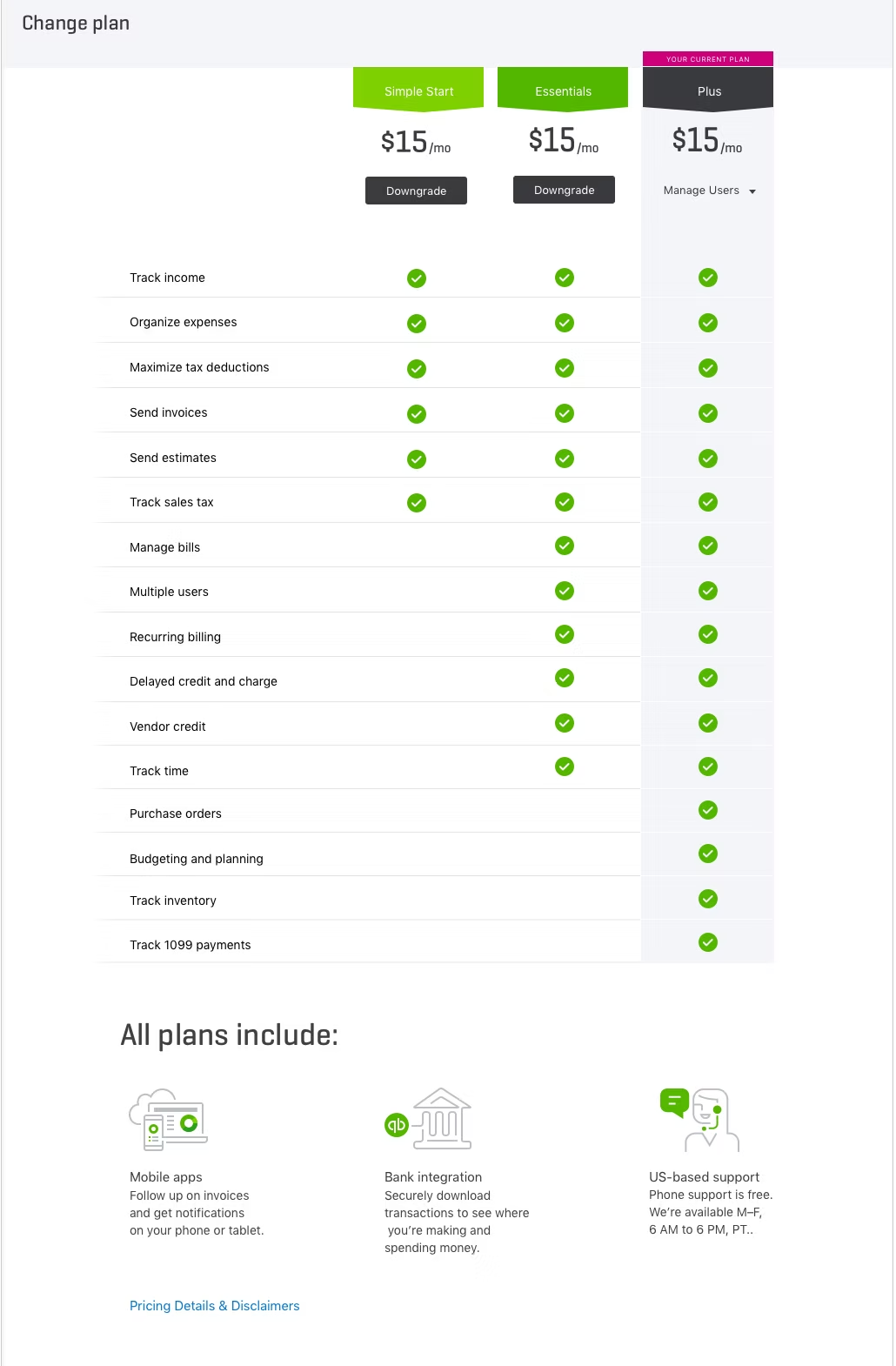
    The QuickBooks Change plan screen comparing Simple Start, Essentials and the current Plus plan feature by feature
  2. 2 You’ll lose these features

    Everything that goes away, itemized, beside the new pricing and billing date.
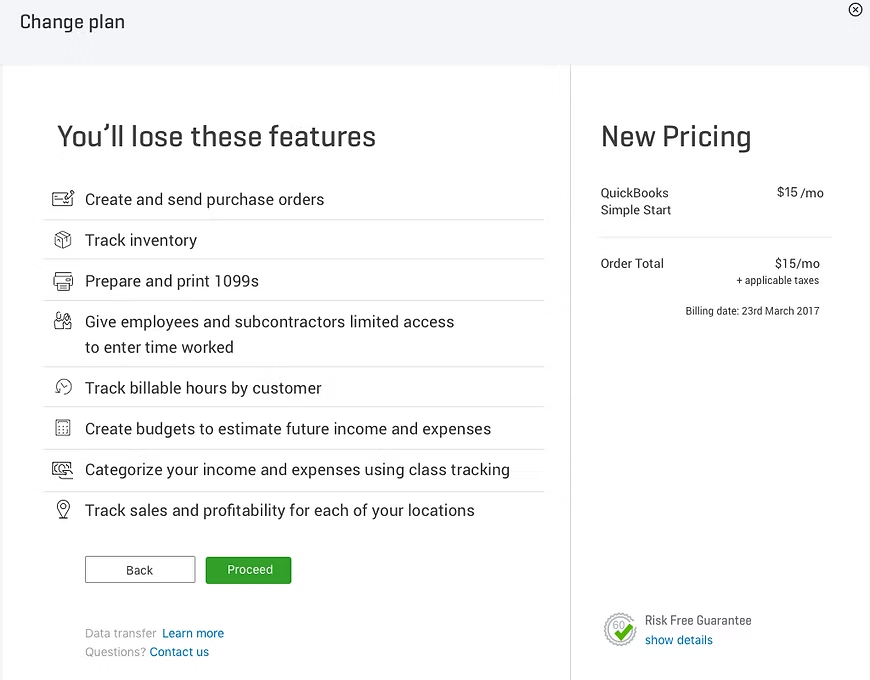
    A screen listing the features lost on downgrade, with New Pricing and a Risk Free Guarantee panel
  3. 3 Take actions

    What has to be cleared first: removing users, inactivating inventory, deleting recurring transactions.
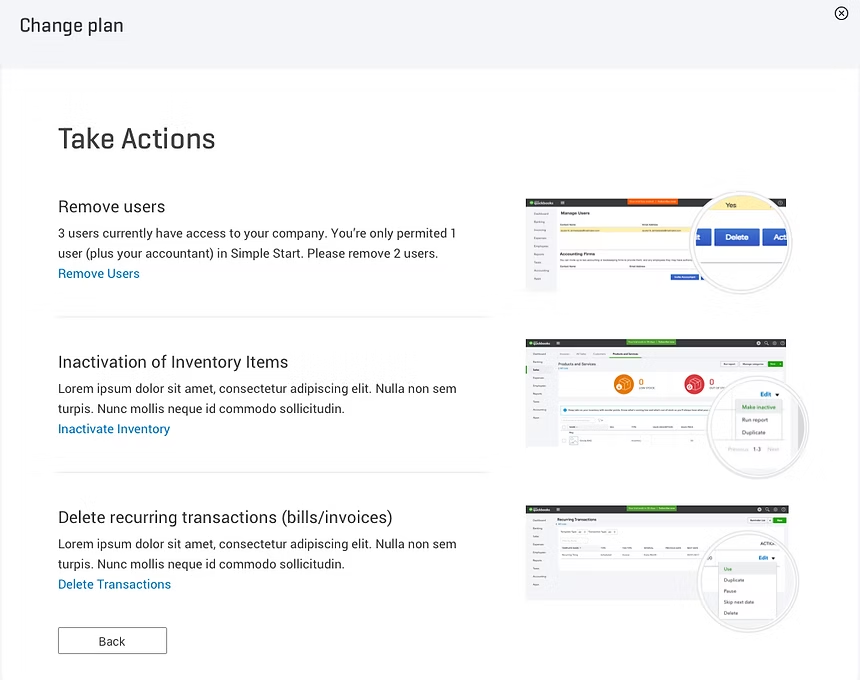
    A Take Actions screen with three required tasks, each illustrated by the interface where it is done
  4. 4 Downgrade now?

    Confirming the payment method before the switch takes effect.
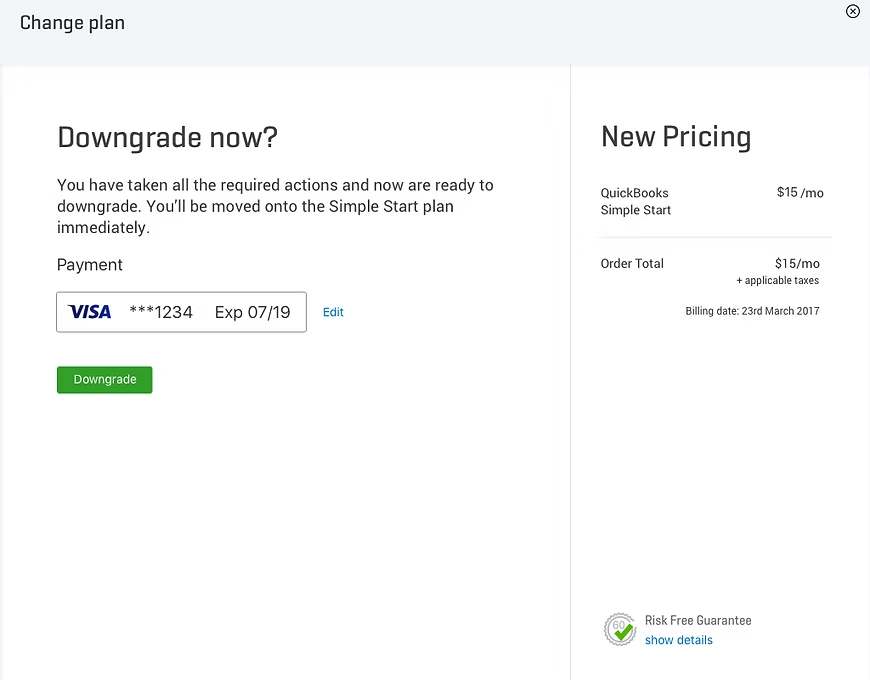
    A confirmation screen showing the saved Visa card and a Downgrade button beside the new pricing
  5. 5 Successfully downgraded

    Done, Soon and Later, so the customer knows what changed and what to expect on the next bill.
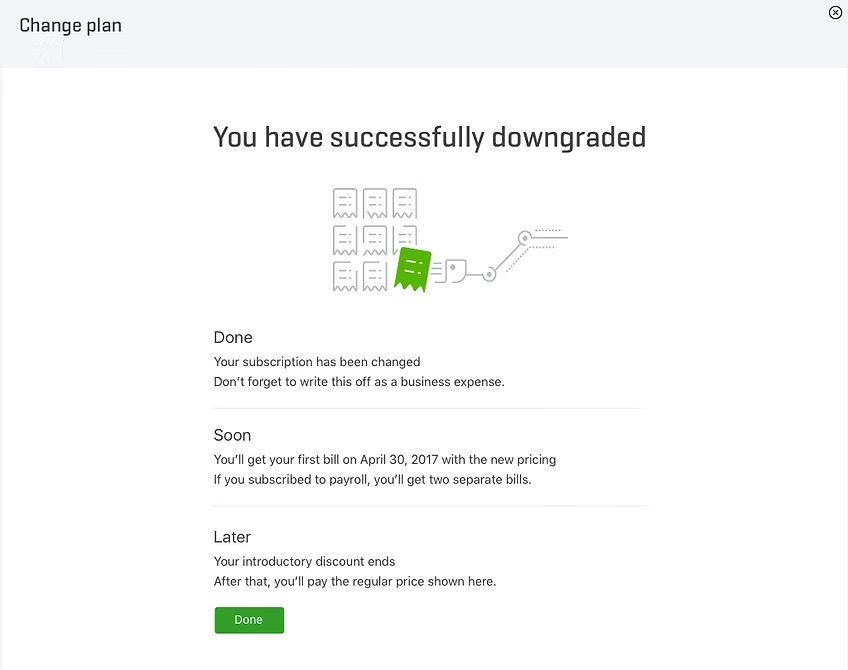
    A success screen confirming the subscription change, with Done, Soon and Later sections